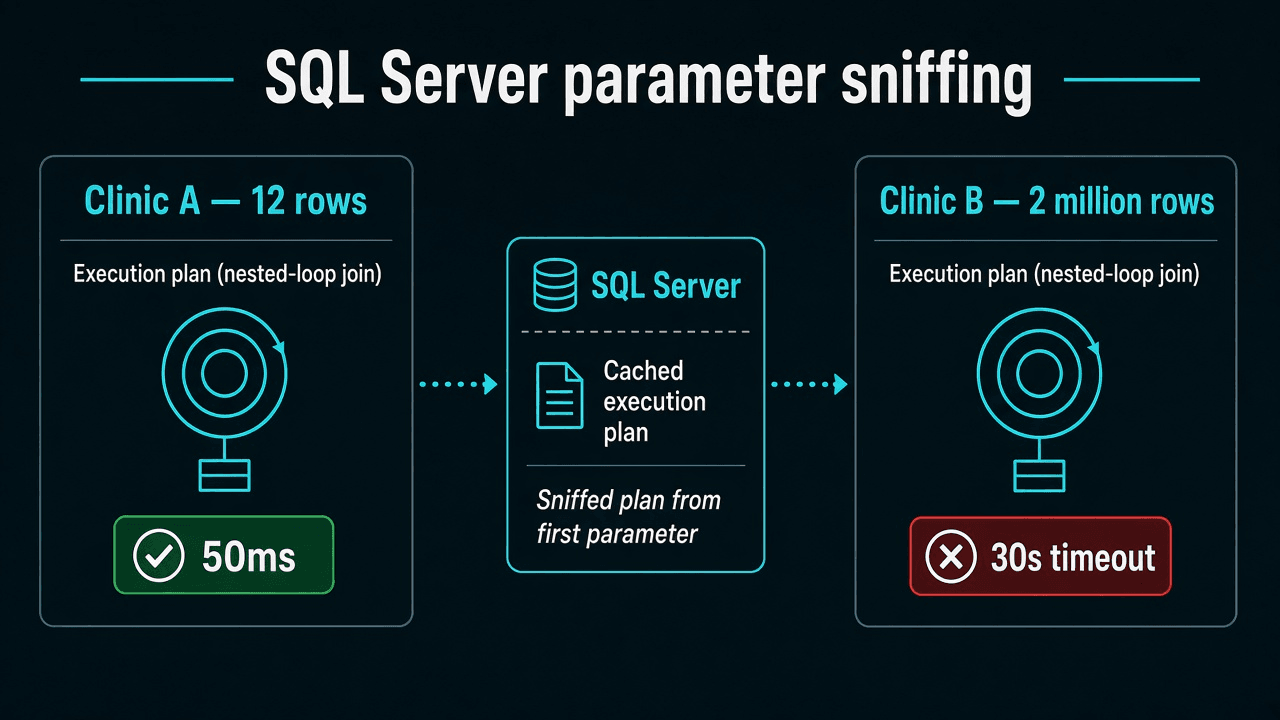
Parameter sniffing (parameter-sensitive plan) means SQL Server compiled an execution plan for the first @clinicId it saw and reused it for every tenant. A nested-loop plan that fits twelve rows becomes a thirty-second scan when the hub clinic runs the same parameterized LINQ.
Same LINQ, different clinics, one cached plan

  Clinic A (12 rows)  → plan: nested loop  → 50ms   ✓
  Clinic B (2M rows)  → same cached plan   → 30s timeout ✗
  SSMS ad-hoc         → new plan            → instant (misleading)
New to this → stay here. Merging a PR → confirm in Query Store. On-call / interview → fixes I actually ship · if an interviewer asks.
Terms used here: Sniffed parameter = the first parameter value SQL Server saw when it compiled the plan. Plan cache = stored execution plans reused across requests with different parameter values. OPTION (RECOMPILE) = force a fresh plan per execution — compile cost, use on one hot endpoint only.
The appointments endpoint was 50ms for clinic A and a 30 second timeout for clinic B. Same LINQ. Same index. SSMS for clinic B was instant.
This is not N+1. Command count is one. If waits are PAGELATCH_UP on database id 2, that is TempDB contention, not this page.
Confirm in Query Store, not SSMS
- Find the query in Query Store (or
sys.dm_exec_query_stats) using the EF shape, not the SSMS ad-hoc text. - Look at avg duration vs last, and at the sniffed parameter in the plan XML.
- Note the app’s
SEToptions. SSMS defaults (ARITHABORTand friends) often compile a different plan. Instant SSMS proves almost nothing.
I do not run DBCC FREEPROCCACHE on a shared healthcare database to “see if it helps.” That is a production incident. Use Query Store’s “force plan” / “unpin” tools, or a staging copy.
What the bad plan looks like
Clinic A has twelve encounters this week. SQL Server picks a nested loop keyed on ClinicId. Clinic B is the regional hub: millions of rows, same predicate. The cached nested loop becomes a timeout. Swap the order of first execution and the other clinic becomes the victim.
EF parameterized the clinicId. That is correct. You wanted a reusable plan. You got a plan that only fits one cardinality.
Fixes I actually ship
1. Make the query honest (often enough)
Unbounded OrderBy + Take without a date window on a hub clinic is a sniff waiting to happen. Require from/to the way the performance pillar already says. A plan for “twelve months of the hub” should not be the plan for “today at a satellite clinic.”
2. SQL Server 2022+ PSP optimization
ALTER DATABASE SCOPED CONFIGURATION
SET PARAMETER_SENSITIVE_PLAN_OPTIMIZATION = ON;
SQL Server 2022 can cache multiple plans for the same statement when it detects parameter-sensitive cardinality. Azure SQL often has this on. On-prem 2019 does not. Do not set PARAMETER_SNIFFING = ON and call it a day — sniffing is already the default.
3. Recompile or OPTIMIZE FOR UNKNOWN on one hot query
TagWith("OPTION (RECOMPILE)") does not add a hint. It adds a comment. I use a small interceptor that looks for a tag and appends the hint:
public sealed class RecompileHintInterceptor : DbCommandInterceptor
{
    public override InterceptionResult<DbDataReader> ReaderExecuting(
        DbCommand command,
        CommandEventData eventData,
        InterceptionResult<DbDataReader> result)
    {
        if (command.CommandText.Contains("-- recompile-hint", StringComparison.Ordinal))
        {
            command.CommandText += " OPTION (RECOMPILE)";
        }

        return result;
    }
}
var rows = await db.Encounters
    .AsNoTracking()
    .TagWith("recompile-hint")
    .Where(e => e.ClinicId == clinicId && e.ServiceDate >= from && e.ServiceDate < to)
    .Select(e => new EncounterRowDto(e.Id, e.Status, e.ServiceDate))
    .ToListAsync(ct);
OPTION (RECOMPILE) costs compile CPU. I put it on one tenant-skewed endpoint, not on every LINQ query in the solution. OPTION (OPTIMIZE FOR UNKNOWN) is the other hint I try when a “middle” density plan is acceptable.
4. Do not sprinkle EF.Constant everywhere
Embedding the clinic id as a literal (EF.Constant) can force a fresh plan per tenant. It also explodes plan cache if you have thousands of clinics. I treat it as a last resort for a handful of ids, not a multi-tenant default.
When it is not sniffing
- Fifty extra commands: N+1
- One command, row count is a product: cartesian explosion
- Same plan, missing index: Query Store will show scans regardless of tenant
- Instant after you added RCSI, then TempDB waits: different article
Interview "one tenant fast, one slow" is allowed to point here. Correctness questions (filters, rowversion) stay on EF Core interview questions.
If an interviewer asks
Same EF Core endpoint: 50ms for clinic A, 30-second timeout for clinic B. SSMS is instant. What is wrong?
30-second answer: Parameter sniffing. SQL Server cached a plan compiled for one cardinality and reused it for a tenant with wildly different row counts. SSMS uses different SET options and often gets a fresh plan — that proves almost nothing.
Strong answer: I'd find the query in Query Store using the EF shape, not the SSMS ad-hoc text. I'd check avg vs last duration and the sniffed parameter in the plan XML. First fix is often a tighter date window so "twelve months of the hub" is not the plan for "today at a satellite clinic." On SQL Server 2022 I'd check PSP optimization. For one tenant-skewed hot endpoint I'd add OPTION (RECOMPILE) via a DbCommandInterceptor — not TagWith alone, which only writes a comment. I would not sprinkle EF.Constant per tenant — that explodes the plan cache. Fifty commands is N+1; row count as a product is cartesian explosion — different posts.